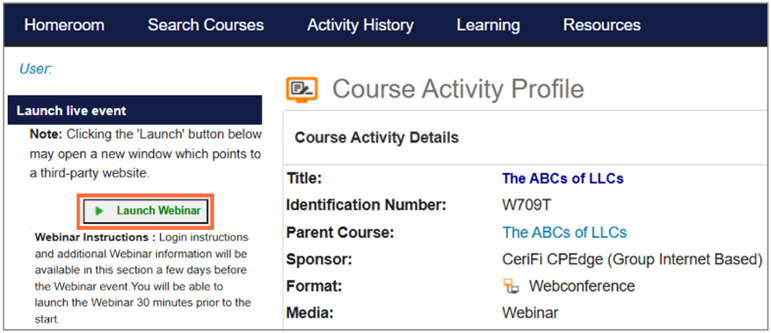
Webinar Access, Participation, and Support
This page covers everything you need for your webinar, including how to prepare, join your session, participate, and get help if needed.
Before You Begin
Device Requirements
- Use a laptop or desktop computer
- Mobile and tablet devices are not supported
Browser and System Requirements
- Windows 10 or later (64-bit recommended, 8GB RAM suggested)
- Latest version of Chrome, Edge, or Firefox
- Minimum screen resolution of 1024 × 768
- High-speed internet connection
- PDF reader for materials
Pop-Up Blockers
- Disable pop-up blockers so attendance prompts appear and your responses can be recorded (click here for instructions)
Audio
- Audio plays through your computer speakers
- Make sure sound is on and at an audible level
Closed Captioning in Chrome (Optional)
If you would like to use live captions during the webinar:
- Go to Google Chrome Settings (the three dots in the upper right-hand corner of the browser)
- Select Advanced, then Accessibility
- Click the toggle bar to enable the live caption option
Group Attendance
If more than one person will be attending in a group setting, the group must designate a moderator. The moderator and all attendees must be registered through their own CPEdge accounts before the event. The moderator is responsible for managing attendance during the session.
The moderator:
- logs in through their own CPEdge account
- responds to attendance verification prompts for the group
- after the webinar, completes, signs, and submits the Group Moderator Form (PDF) to confirm attendance for everyone listed
During the Webinar
Asking Questions
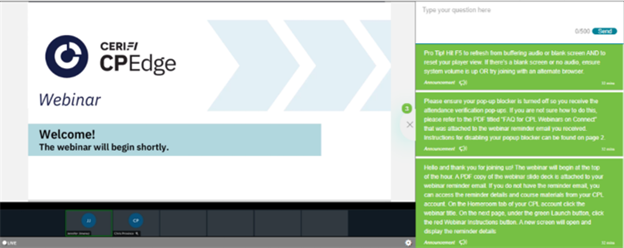
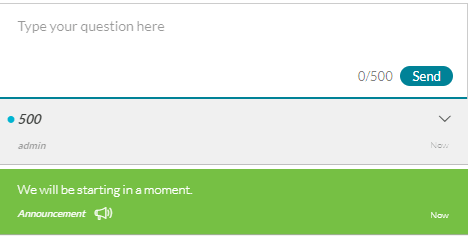
- Use the Q&A panel on the right side of the screen
- Enter your message and click Send
Attendance Requirements
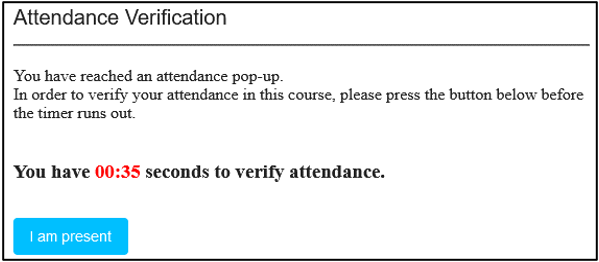
To earn full CPE credit, you must attend at least 50 minutes per CPE credit hour (the instructional portion of the webinar) and respond to at least 75% of the attendance prompts. Webinars are scheduled in 60-minute blocks; however, CPE credit is based on 50 minutes of instructional time per credit hour. For example, a 1-hour webinar provides 50 minutes of CPE credit, while a 2-hour webinar provides 100 minutes. Longer webinars follow the same 50-minute-per-credit-hour calculation.
Four attendance verification prompts per CPE credit hour will be issued, and when a prompt appears, you will hear a chime and have one minute to click "I am present."
Certificates and Credit Reporting
Certificates
After you meet webinar attendance requirements, your certificate will be available in your account within five business days. Go to the Activity History tab to view or print your certificate.
IRS Enrolled Agent (EA) Credit
Some webinars offer IRS Enrolled Agent (EA) continuing education credit. If you would like your CE credit hours reported to the IRS, your CPEdge profile must include your PTIN, and your name and PTIN must match IRS records. You have seven days after the event to update your profile.
To update your profile:
- Log in to your CPEdge account
- Click My Profile at the top right of your screen
- Go to Professional Designations
- Add your PTIN and click Save
Troubleshooting
Below are common issues and how to resolve them.
Server error when launching

- Try a different browser
- Clear your browser cache and try again
No audio
- Check that your speakers are on and not muted
- Refresh the page (F5)
Blank or frozen screen
Missing Q&A panel
- Refresh the page
- Scroll down if your browser zoom is enlarged
Connectivity issues
- Refresh the page (F5)
- Close unnecessary tabs or applications
- Use a stable internet connection
- Disconnect from VPN if needed
- Clear your browser cache
Multiple browsers or inactivity error

- Close all browser windows
- Log in again and relaunch the webinar
- Notify the moderator in the chat after rejoining
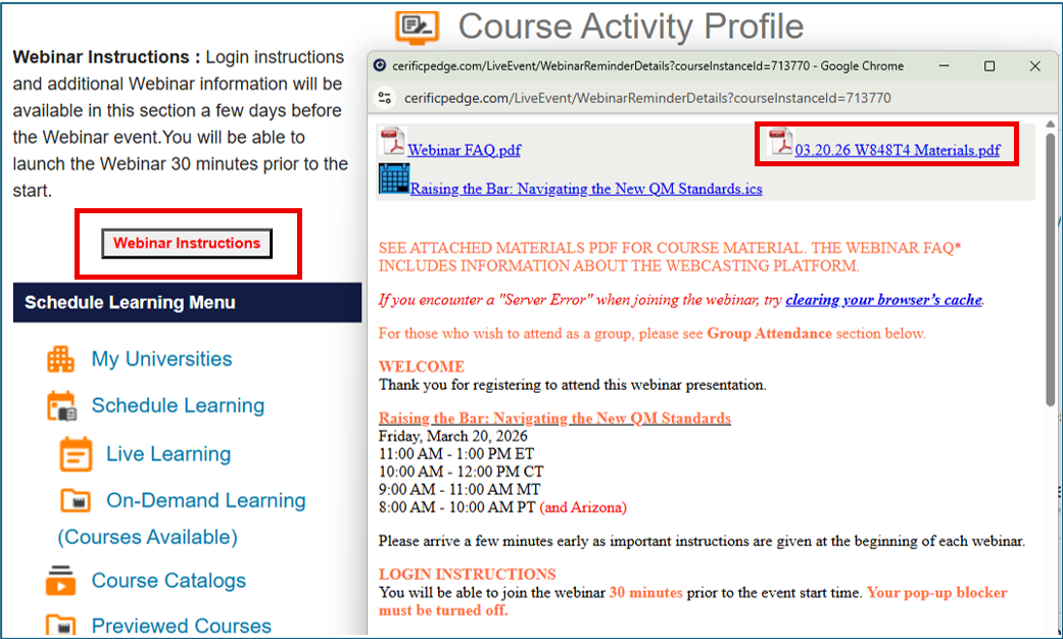
Access Webinar Materials
Materials and event details are available at the start of the week your webinar is scheduled.
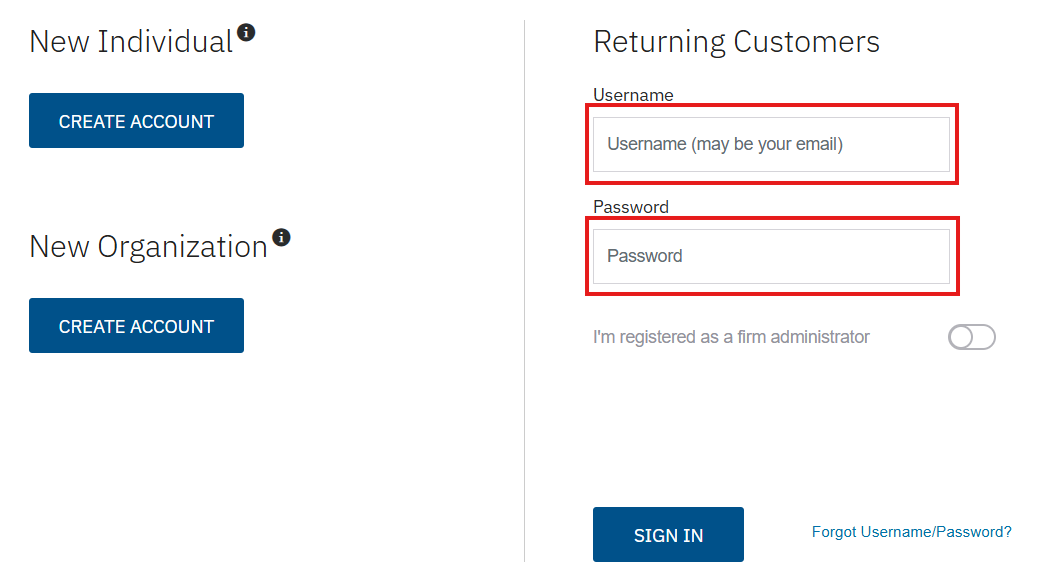
- Log in to your CPEdge account
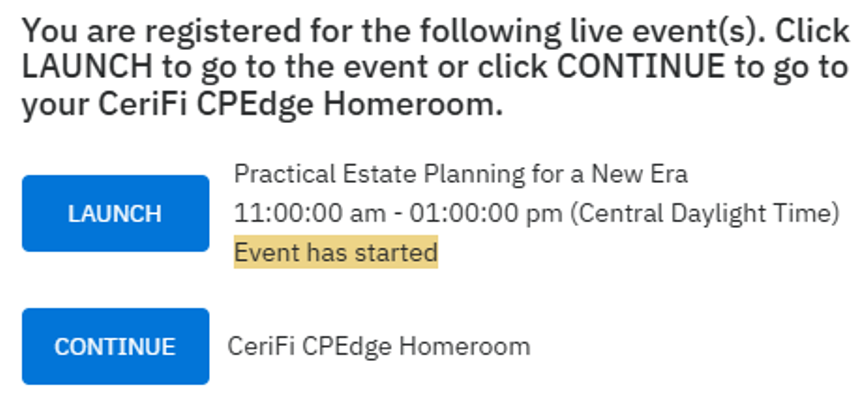
- Select your webinar from My Registrations or the Live Learning calendar
- Click Webinar Instructions to access login steps and downloadable materials
After the Webinar
Evaluation
- You will receive an email with an optional evaluation the day after the webinar
Archived Webinars
CPEdge Webinar recordings are available within five business days of the live event and remain accessible for one year. These recordings are for informational use only and do not qualify for continuing education credit.
- PREMIER PLUS subscribers have access to all CPEdge Webinar recordings.
- PREMIER subscribers have access to all 1–4-hour CPEdge Webinar recordings.
- NON-SUBSCRIBERS who register for live CPEdge Webinars have access to recordings of individually purchased webinars.